
Skip to content

OSHE Pick and Place

An open-source pick-and-place machine for surface-mount parts, built from a Creality Ender 3, a 3D-printed CoreXY frame, a vacuum toolhead, two cameras and its own software.

Made by students of the Open Source Hardware Enterprise at Michigan Technological University: oshe.io · every file is on GitHub.
Begin here Run a job See the results

~511parts per hour (best 527)
97.9 %picks from tape (92 / 94)
0.08 mmmean placement error
331 / 331vision decisions correct
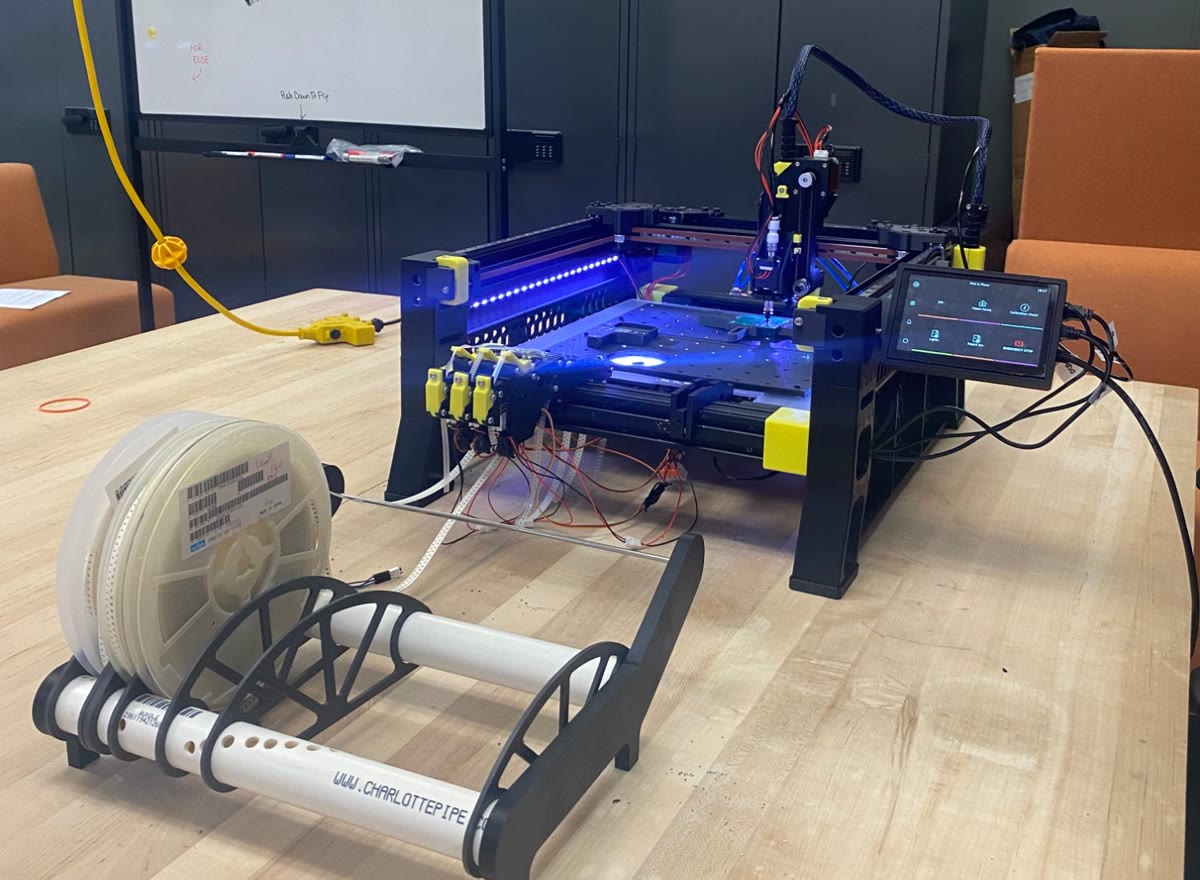
The OSHE Pick and Place V3 with its reel holder, tape feeders and touchscreen
V3 in the lab: reels in the holder at the front, three tape feeders, touchscreen on the right.
Placing parts on a test board at real speed.

Project state: functional prototype (V3, Fall 2026)

The machine runs complete jobs from the touchscreen: feeder, pick, camera check, place. The build guide, bill of materials and wiring diagram for V3 are still being written (marked Ongoing on those pages).

How a board gets made

  • 1. Design


    Lay out the board in KiCad as usual.

  • 2. Slice


    pnpslice checks the board, orders the parts and writes a job file.

  • 3. Load


    Carry the job on an SD card or USB stick - no network needed.

  • 4. Run


    Start it on the touchscreen: the cameras find the board, check every part and correct it before placing.

Where do you want to go?

Table of contents

Section Pages
Get to Know It How It Works · Specifications · Safety · Known Limitations
Build Overview · 1. Print the Parts · 2. Take Apart the Ender 3 · 3. Frame and Motion · 4. Electronics and Wiring · 5. Pneumatics · 6. Feeder Hardware
Software Setup Overview · 1. Install from Scratch · 2. Configuration Files · 3. Touchscreen · Updating
Calibration Overview and order · 1. Cameras · 2. Motion and Homing · 3. Nozzle and Up Camera · 4. Reject Bin and Feeders · Recovery Check
Running Jobs Overview · 1. Daily Startup · 2. Make a Job · 3. Load Jobs from SD / USB · 4. Run a Job · 5. After the Job · 6. Shutdown
Feeders How They Work · Loading Tape · Teaching a Feeder · Testing and Troubleshooting
Guides Speed Settings · Nozzle Tips · Lighting · Macro Reference · pnpvision Commands · Moonraker and Cameras · Job File Format
Testing & Results Overview · Acceptance Tests · Results · Sample Images and Data
Help Troubleshooting · FAQ
Project Overview and Team · History (V1, V2) · Design Rationale · Roadmap · Contributing and License · Revision History

Use the search box at the top to find anything else.

Sponsored by Harbor Country Marine (Project).